


Navigation System VOYAGER


Senior Member
Joined: Aug 2012
Posts: 902
From: Bolton, UK

just to let everyone know, i've downloaded the 2011 rb3 navigation europe, extracted, burnt all 5 dvds, and my unit doesn't recognise them. Go into nav, says "insert nav" i put the dvd 1 in, it changes to please wait and after a few seconds ejects it and goes back to "insert nav".
So either it doesn't like the burnt dvds (they're verbatim dvd-r so reasonable quality) or it just doesn't work.
So either it doesn't like the burnt dvds (they're verbatim dvd-r so reasonable quality) or it just doesn't work.


Senior Member
Joined: Jan 2012
Posts: 1,611
From: UK

Senior Member
Joined: Aug 2012
Posts: 902
From: Bolton, UK
Qaptain Chrysler  , I already bought the full set of discs a couple of years ago but I recently found this site Ulo?.to where you can download the full set of iso files for free. AndyB had done that but couldn't get his discs to work, presumably because he had burnt the iso files to DVD discs instead of CD discs.
Thanks for the link to DVDInfo
, I already bought the full set of discs a couple of years ago but I recently found this site Ulo?.to where you can download the full set of iso files for free. AndyB had done that but couldn't get his discs to work, presumably because he had burnt the iso files to DVD discs instead of CD discs. Thanks for the link to DVDInfo
Senior Member
Joined: Aug 2012
Posts: 902
From: Bolton, UK

Senior Member
Joined: Jan 2012
Posts: 1,611
From: UK
Andy's a 'monkeyhanger', people use the term to deride Hartlepudlians - in fact my considerable years spent with the good folk of the area suggests they are quite proud of the 100 year old persistence of the story of the the French vessel the Chasse Maree during the Napoleonic wars.

Senior Member
Joined: Aug 2012
Posts: 902
From: Bolton, UK
Not to be confused with the Ape Hangers that we used to fit to our bikes in the 60's...
(Q, you'll have to let me into your little secret, how do you embed images into these pages, the way you do. I've tried adding a link like this [IMG]https://www.chryslerforum.com/forum/ [/IMG] but it doesn't actually display the pic)
(Q, you'll have to let me into your little secret, how do you embed images into these pages, the way you do. I've tried adding a link like this [IMG]https://www.chryslerforum.com/forum/
[/IMG] but it doesn't actually display the pic)
Senior Member
Joined: Jan 2012
Posts: 1,611
From: UK
- go here
- click on the BLUE coloured upload images button on the top
- click for example on the browse my computer
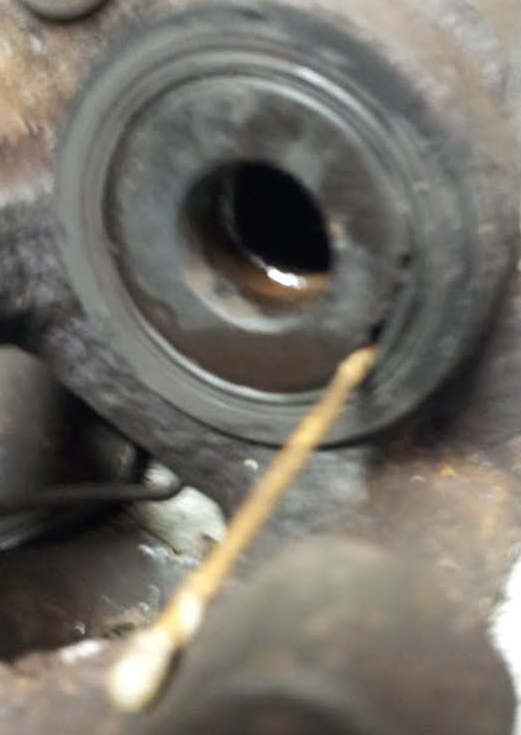
- find an image you want to up [I'm upping a brake cyinder' called - Wood pick piston pick.png
- click in the GREEN start upload button
- click on the 5th down type called BBCode (message boards & forums)
- the copy and paste the URL they offer you to the inset image icon in this forum
- and you get this
Best of luck Leedsman - stuck ? - ask !
- click on the BLUE coloured upload images button on the top
- click for example on the browse my computer
- find an image you want to up [I'm upping a brake cyinder' called - Wood pick piston pick.png
- click in the GREEN start upload button
- click on the 5th down type called BBCode (message boards & forums)
- the copy and paste the URL they offer you to the inset image icon in this forum
- and you get this
Best of luck Leedsman - stuck ? - ask !