Chrysler Voyager & Town & Country The first and foremost name in minivans leading the class since their inception in the 1980s

Remove radio to get Code.

Thread Tools
 
Search this Thread
 
Old Oct 30, 2013 | 08:15 AM
  #1  
goggs's Avatar
Thread Starter
|
Senior Member
Joined: Nov 2012
Posts: 1,782
From: Dumfries....
Default Remove radio to get Code.
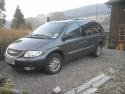
Hi got Voyager LTD 2.5CRD 2003. Looked into getting radio code for my car on here and it was try this, then this, this address, this other for £2.99.
But finally found Raptor 7's answer so just need Radio identity.
So how does the Radio come out of the Dash without using an Axe...
Thanks..
 
Old Oct 30, 2013 | 08:38 AM
  #2  
travelmad's Avatar
Senior Member
Joined: Dec 2011
Posts: 134
From: Portsmouth, UK
Default

you remove the surround, if i remember well,
2 screws at the top (covered with plastic plugs)
2 screws at the bottom (pop off small plastic cover)

The the radio is then accessible
 
Old Oct 30, 2013 | 03:17 PM
  #3  
goggs's Avatar
Thread Starter
|
Senior Member
Joined: Nov 2012
Posts: 1,782
From: Dumfries....
Default

Thanks mate. Will try it tomorrow as the rain batters down on the windscreen...Forecasted...
 
Old Oct 31, 2013 | 11:27 AM
  #4  
AlanC's Avatar
Senior Member
Joined: Aug 2012
Posts: 902
From: Bolton, UK
Default

After removing the retaining screws you need to prise/pull of the surround which is a single unit. It can be difficult to prise loose, especially if it's never been off before. If you watch the procedure in this video
you'll get a better understanding. Try to use your fingers to pull the surround off rather than a flat bladed screwdriver or similar. It can be done.
 
Old Nov 2, 2013 | 05:00 PM
  #5  
goggs's Avatar
Thread Starter
|
Senior Member
Joined: Nov 2012
Posts: 1,782
From: Dumfries....
Default

Here that's good, can't get it to run on here so I'll see it on You Tube.
 
Old Nov 3, 2013 | 04:58 AM
  #6  
AlanC's Avatar
Senior Member
Joined: Aug 2012
Posts: 902
From: Bolton, UK
Default

Incidentally, I can't claim any credit for the video, it was one that I found on YouTube.
 
Old Nov 6, 2013 | 04:08 PM
  #7  
goggs's Avatar
Thread Starter
|
Senior Member
Joined: Nov 2012
Posts: 1,782
From: Dumfries....
Default

I got into Radio today to get Serial No etc off it and took some pictures of job so will add them on here tomorrow.
 
Old Nov 7, 2013 | 03:24 PM
  #8  
goggs's Avatar
Thread Starter
|
Senior Member
Joined: Nov 2012
Posts: 1,782
From: Dumfries....
Default

Here's some pictures of removing Radio Surrounds. Sticker of Radio's info is helpfully on top of it so doesn't need removed. No 06 picture would show surround free after gripping bottom and jerking outwards. Label of Radio now seen.
 
Attached Thumbnails Remove radio to get Code.-01-face-unit..jpg   Remove radio to get Code.-02-remove-plugs-then-screws..jpg   Remove radio to get Code.-03-press-here-remove-tray..jpg   Remove radio to get Code.-04-ease-off-trim..jpg   Remove radio to get Code.-05-remove-inner-screws..jpg  


Last edited by goggs; Nov 7, 2013 at 03:27 PM. Reason: Only 5 pictures able to upload so adding words of others.
Old Nov 8, 2013 | 12:36 PM
  #9  
AlanC's Avatar
Senior Member
Joined: Aug 2012
Posts: 902
From: Bolton, UK
Default

Goggs, you could probably add the other pictures if you reply to your own thread :O)
 
Old Nov 9, 2013 | 03:57 PM
  #10  
goggs's Avatar
Thread Starter
|
Senior Member
Joined: Nov 2012
Posts: 1,782
From: Dumfries....
Default

Extra Pictures.
 
Attached Thumbnails Remove radio to get Code.-06-grip-bottom-pull-surround-off..jpg   Remove radio to get Code.-07-label-now-seen..jpg  


All times are GMT -5. The time now is 01:03 AM.