LOG IN
REGISTER
Forums
General Chrysler Forums
New Member Area
Off Topic
Brand News, Concepts & Rumors
Forum Issues
General Tech
Brand Review
Detailing
Interior
Audio/Visual Electronics
Exterior
Wheels and Tires
Chrysler Vehicles
Chrysler PT Cruiser
Chrysler 200 & Sebring
Chrysler Pacifica
Chrysler Crossfire & Crossfire SRT-6
Chrysler 300, 300C & 300C SRT-8
Chrysler Voyager & Town & Country
Chrysler Aspen
Past Chrysler Models
Racing / Recreational
Street/Strip
Professional Racing
Sponsoring Vendors
Nick Theis Cars
Chrysler Classifieds
The Chrysler Marketplace
Member Group And Special Buys
Archive - For Sale / Trade Classifieds
Archive - 'Wanted' Classifieds
Archive - Classified Feed
Marketplace
Vendor Directory
Become a Vendor
the Chrysler Marketplace
New Posts
Tools
Car Payment Calculator
Tire Rim Calculator
Recalls
Technical Service Bulletins (TSBs)
Members List
Live Feed
Gallery
View Dark Mode
Please register or login to enable Dark Mode.
Log In
Register
Threads
Google
Threads
Posts
Advanced
Dark Mode
Please register or login to enable Dark Mode.
Log In
Forgot your Password?
By logging into your account, you agree to our
Terms of Use
and
Privacy Policy
, and to the use of cookies as described therein.
Recent
Commented
Albums
My Pictures
XoxoStasia's Photos
View Profile
Sort:
Most Recent
Most Recent
Most Comments
Albums
Photos
0
2024/04/26 22:51:06
XoxoStasia
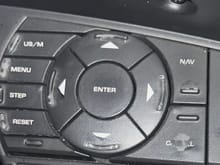
The cancel button is the right button
0
2024/04/26 22:46:59
XoxoStasia
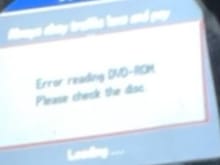
What The screen says now, even though the DVD-ROM is in the navigation DVD player. Holding cancel will turn it off every time I start my car, but as soon as I turned my car off and start it again, the notification will pop up again.
0
2024/04/26 22:46:51
XoxoStasia
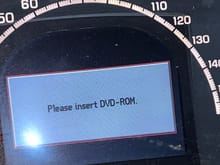
What the screen was saying for years, Holding cancel would keep it off, even when I would turn my car off and back on.
0
2024/04/26 22:46:15
XoxoStasia